
Gateway Port
Place a Gateway Port beside a Gateway Frame or Core. Piped-in items and fluids emerge from a Gateway Port on the bound partner ring while that gateway is powered and fueled.
Crafting
Section titled “Crafting” End Stone Bricks
 Ender Pearl DustEnd Stone Bricks
 Brass Ingot
 HopperBrass IngotEnd Stone BricksBrass IngotEnd Stone Bricks
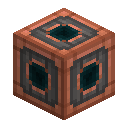 Gateway Port
Recipe ID: cesg:gateway_port
Behavior
Section titled “Behavior”- Works as a logistics bridge between two bound gateway rings, not a player teleport.
- By default, items and fluids go to the active channel only.
- In route mode, items fan out to the first matching channel filter; fluids independently follow the active channel or their own per-channel fluid filters.
- Goggles show outgoing / incoming item counts and fluid mB.
- For unattended transfer, enable Load Destination on the core (server-configurable).
- Transfers respect a Flux Battery travel reserve when one is on the ring.
- Automation fuel costs are server-configurable and default to zero. With a cost enabled, blocked or empty transfers spend no fuel.
- Fuel and protected reserves follow the actual destination: Teleport Essence within a dimension, Liquid Eye of Ender across dimensions. A routed flush pays once per fuel type used.
- Buffered items and fluids wait when the destination is unavailable and persist through saving and reloading.
Setup tips
Section titled “Setup tips”- Build and bind two gateway rings.
- Place ports adjacent to each frame/core.
- Pipe items or fluids into one port; extract from the partner port.
- Keep both sides powered and fueled — a Flux Battery helps with bursty demand.
For cross-dimensional storage network access (terminal tabs, filtered push/pull), use a Storage Bridge instead.