
Cross-Dimensional Storage Bridge
The Storage Bridge links two Storage Networks through a bound gateway. Place one beside a Gateway Frame or Core that also touches a Storage Network, and a matching Bridge on the partner ring. Each side’s Storage Terminal grows a Local / Partner tab strip showing the other network as a separate section.
Crafting
Section titled “Crafting”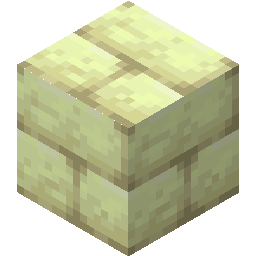 End Stone Bricks
 Processed Shulker ShellEnd Stone Bricks
 Ender Pearl Dust
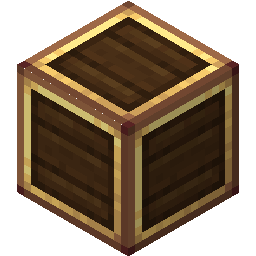 Brass CasingEnder Pearl DustEnd Stone Bricks
 Eye of EnderEnd Stone Bricks
 Cross-Dimensional Storage Bridge
Recipe ID: cesg:storage_bridge
- Build and bind two gateway rings (Binding Crystal).
- Place a Bridge next to a Frame or Core on each ring, touching that side’s Storage Network.
- Keep both gateways powered and fueled (a Gateway Flux Battery helps with burst transfers).
- Open a Storage Terminal on either network — the Partner tab appears when a Bridge is present.
Terminal: Local / Partner
Section titled “Terminal: Local / Partner”When a Bridge is on the network, the terminal shows a Local / Partner tab strip (bridge-less terminals look unchanged):
- Local — this network’s items, as usual
- Partner — the partner network’s items, with a liveness dot:
- Green — linked
- Grey — offline (unbound, or the partner chunk is unloaded — silent, not an error)
- Red — fault (bound and loaded, but no partner Bridge / no controller)
On the Partner tab: click to withdraw to the cursor, shift-click into your inventory, right-click for half a stack, or click with a carried stack to deposit. Moves charge gateway fuel.
A terminal drives its Partner tab from one primary Bridge (the first live one on the network), so several Bridges sharing a partner never double-count.
Passive auto-transfer
Section titled “Passive auto-transfer”Right-click the Bridge (empty hand) to open its config: a push (local → partner) and a pull (partner → local) row of nine filter slots each, with a per-direction enable and whitelist/blacklist toggle.
- Same filter rules as elsewhere: empty whitelist = nothing, empty blacklist = everything
- Enabled directions move filtered items automatically while fueled
- Idle Bridge = no fuel cost
In gateway route mode, the push side obeys the Core’s per-channel filters instead — the Bridge’s own push filter is ignored. Pull and the Partner tab still use the active channel.
Pull and Lock
Section titled “Pull and Lock”Pull reaches into the partner network. It does not wait to be sent anything: with pull enabled and a matching filter, a remote gateway extracts from your network. Binding is already reciprocal, so “linked” always means both ways. Nothing about your Bridge’s settings stops a partner from pulling — that decision is made entirely on the other side.
Lock (title-row toggle on the Bridge config) is the opt-out: while locked, no remote gateway may extract through that Bridge — passive pull and manual Partner-tab withdrawals alike. You can still push out, still accept deposits, and the partner can still see your contents. Lock is per-Bridge, not a global mode.
Safety
Section titled “Safety”- Every move is extract-then-insert with an in-transit buffer: an unloaded partner or a broken Bridge cannot dupe or void items
- Breaking a Bridge drops whatever it was holding in transit
- Manual withdraw charges fuel only on a successful pull; deposit charges up front and is refused when unfuelled
- Automation is gated by a Flux Battery’s travel reserve the same way Ports are
Related
Section titled “Related”- Storage Network
- Gateway Port — pipe-based logistics on the same rings
- Gateway Routing — fan-out when pushing through the Bridge
- Gateway Flux Battery
A Ponder scene covers Bridge setup and liveness.